
Oopbuy Spreadsheet / A considered purchase
How to buy with Oopbuy: a decision at each stage
Start with a clear product choice. Then review the payment, warehouse inspection and parcel options as separate decisions.
1. Choose the listing and the exact option
Browse a category or search by item name. Open the seller listing, check its description and compare the selected size, colour, model and quantity. A picture alone cannot establish measurements, material or package contents.
Save the original URL and the details of your choice. Oopbuy’s search accepts supported marketplace links; confirm the imported product matches your source. If it cannot be read, ask support about the manual purchase route and include a clear description. A supported platform does not make every item eligible.
Read seller evidence and any item restrictions before paying. For a question, ask for a specific measurement or detail rather than a general assurance of quality. Open Oopbuy to check your product link.
2. Plan the product and parcel costs
The first payment covers the purchase and domestic delivery to the warehouse. International shipping is a later step. Add payment-method charges, currency conversion and any requested services to your planning, then check destination taxes or other applicable charges.
Oopbuy’s Service & Fees article, checked 2026-10-14, describes product cost, international shipping and a customs declaration charge. It describes the declaration charge as generally ¥8 depending on the shipping method; this is not a fixed tax or a universal parcel fee. The actual checkout and route quote govern your order.
Use the destination, item type, expected weight and dimensions for an early shipping estimate. The screenshot below shows the fields to prepare, not a price quote.
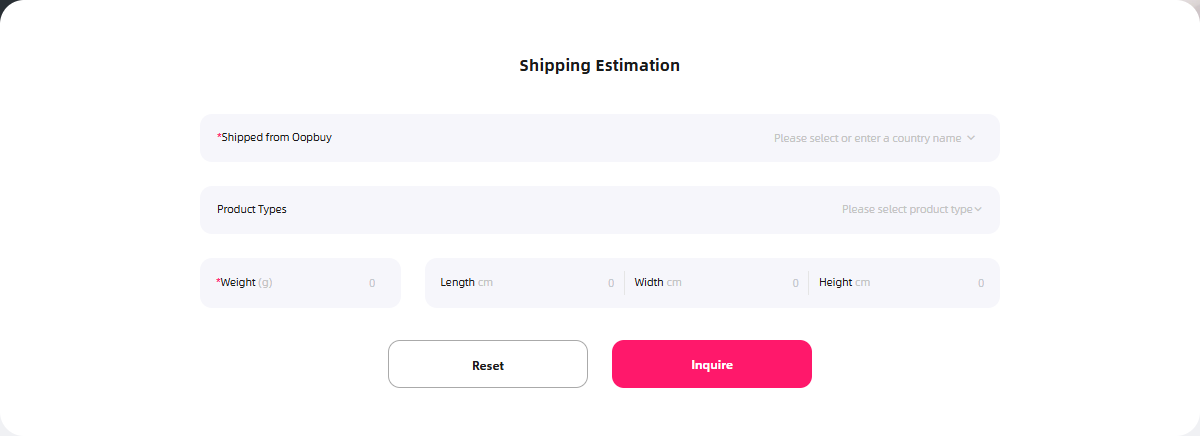
Use the official shipping estimator. Compare the amount in your payment currency with the yuan total and any payment fee. This guide does not publish an inferred exchange-rate markup.
3. Confirm the order before payment
Review the item, selected options, quantity, seller delivery and the payable total. Check what happens if the seller cannot supply the chosen variant. Keep the order record and read any message requesting clarification.
Follow the actual status after purchase. Seller dispatch, domestic delivery and warehouse processing are different stages; an unchanged status alone does not reveal which one is delayed. Contact support with the order reference and dates if the next action is unclear.
4. Read the QC photos against the order
When the item reaches the warehouse, compare its QC photos with the saved listing and chosen option. Look at the size label, colour, quantity, visible marks and damage. Request an appropriate close-up or measurement when the ordinary views do not answer your question.
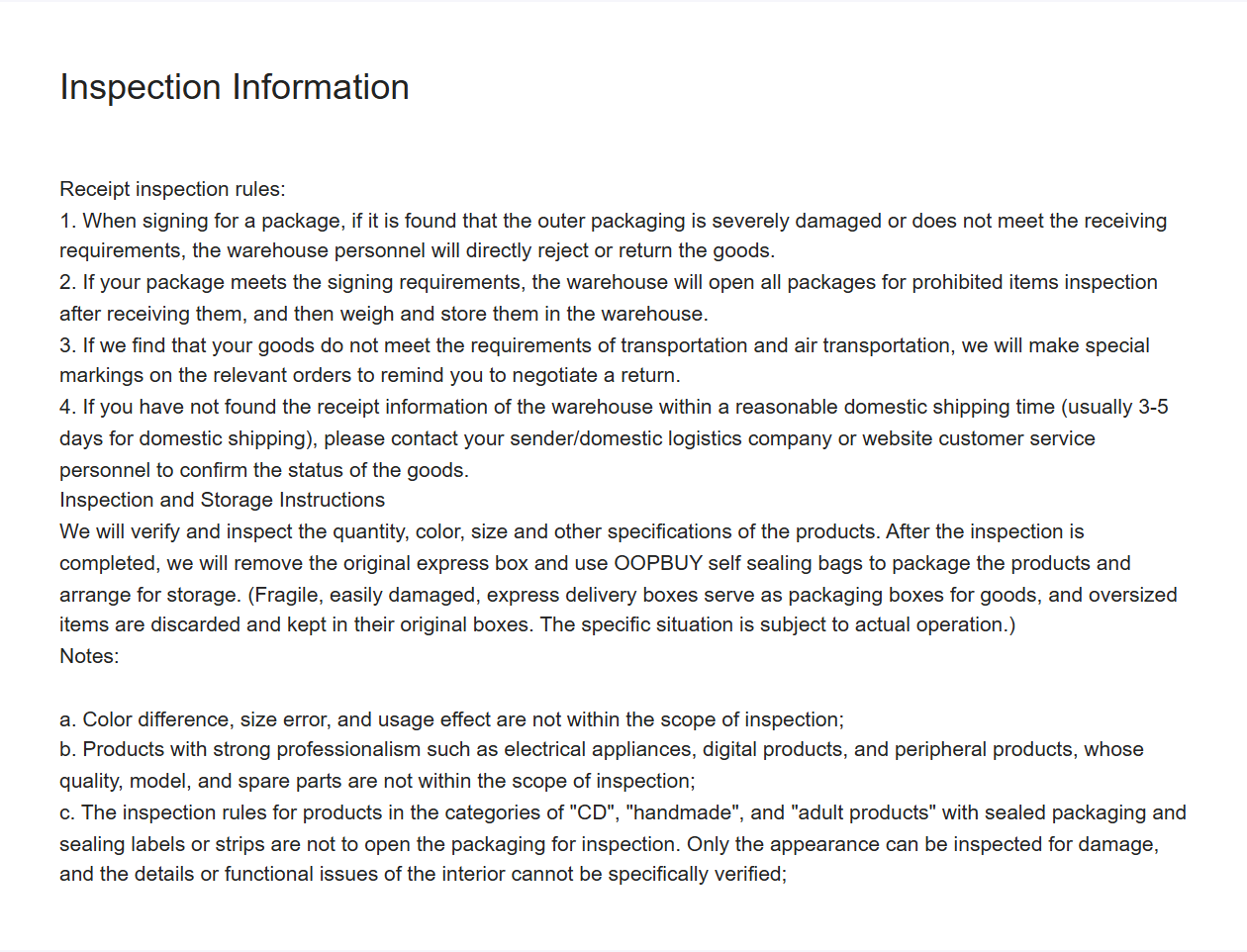
The inspection notice checked 2026-10-14 describes checks of quantity, colour, size and other specifications, while explicitly excluding colour difference, size error and usage effect. It also limits checks of specialist electrical/digital products and some sealed goods. A size label check is not proof that the garment fits, and standard QC does not authenticate the product.
GL (green light) and RL (red light) are buyer shorthand for accepting the visible result or identifying a concern. They are not an official guarantee or an automatic return instruction. Describe the actual issue and ask which options apply.
5. Resolve questions while the relevant window is open
The Returns and Refunds article checked 2026-10-14 says a request can be made within 120 hours, starting at the next hour after the status becomes “Stocked in”. Eligibility, condition, seller agreement and fees still matter; the article does not promise the same outcome for every item.
Keep tags and packaging until you understand their effect on returns. If you notice a wrong option, missing quantity or damage, send the saved order details and relevant QC frames promptly. Ask for confirmation of the requested action rather than assuming a chat message completes a return request. Prepare the after-sales request.
The customized logistics article checked 2026-10-14 describes 90 days of free storage and one paid 30-day extension at 10 CNY. Other older pages contain different storage wording; check the exact deadline and extension option in your account. The new article’s wording is recorded separately from the older source dates in the notes.
6. Choose the parcel, then track the delivery
Select the stored items you want to send together. Check any unfinished QC issue first. Waiting for another item and shipping part of the order now have different storage and delivery-cost consequences.
Compare the route’s chargeable weight, size limits, permitted goods, tracking, estimated time and compensation terms. Some lines use volumetric weight. Oopbuy’s tutorial describes an estimated shipping prepayment followed by a possible top-up or refund after packing; parcel submission alone does not establish that the final shipping cost is paid.
Use accurate recipient and declaration information, and read the current requirements for your destination. After dispatch, keep the parcel reference and follow the carrier record. Inspect the goods when delivered and retain useful packaging and photos if there is a problem.
This guide does not access your account or submit a claim. Official support and frequently asked questions explain what information to prepare.
One QC question, answered before the shipping decision
Imagine the listing shows a two-piece outfit while the first warehouse picture only shows the top. The photograph alone does not prove that the trousers are missing: they may be outside the frame. Check the order quantity and ask for a photograph of the complete received set before deciding.
For fit, ask for the actual measurement you need, including the unit and endpoints. A size-label image confirms the label shown; it does not establish chest width, inseam or fit on your body. Ordinary appearance photos also do not confirm material purity, authenticity or electronic function.
Keep the reply with the order and resolve any decision-changing uncertainty while the relevant window remains open. Buying, requesting a detail photograph, applying for a return and submitting a parcel are separate actions.